FarmMind Tutorials
Selecting Fields
FarmMind allows you to select one or more of your fields to talk about. All of your field tags, field notes, and field geospatial data can be understood by our Decision Support AI to identify anomalies in your fields, up to 100 fields at a time.
To choose different fields, scroll to the top of the chat page and select the 'Select Fields' button. This will show our field selector, where you can choose your fields by name, on the map, or organized by the master field list. As long as you have fields selected, those fields will be included in the context that the Decision Support AI has.
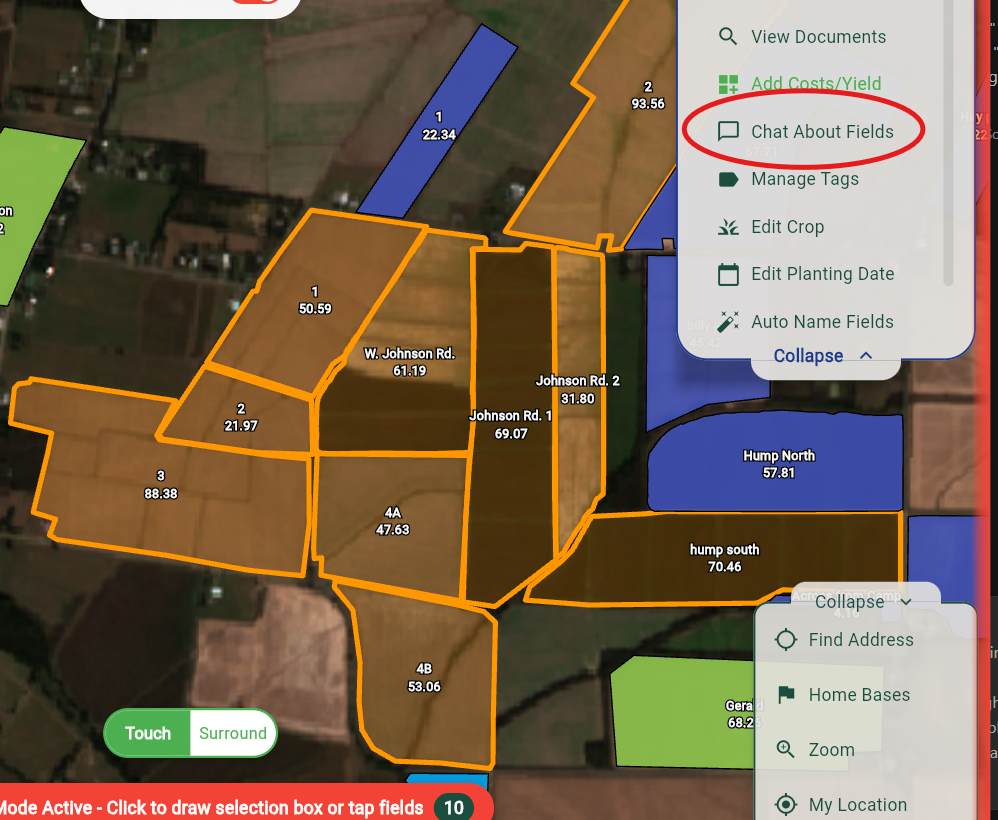
You can also select fields directly on the map to chat about them. Either click on a singular field or go into select mode (button at the top on the maps page) and select multiple fields to talk about. Then, press the 'Chat about fields' button in the top right.