
FarmMind Tutorials
Actions
Farmer AI can take a multitude of actions on the FarmMind platform to automate your workflow and save you time. Here are the main capabilities:
Navigation
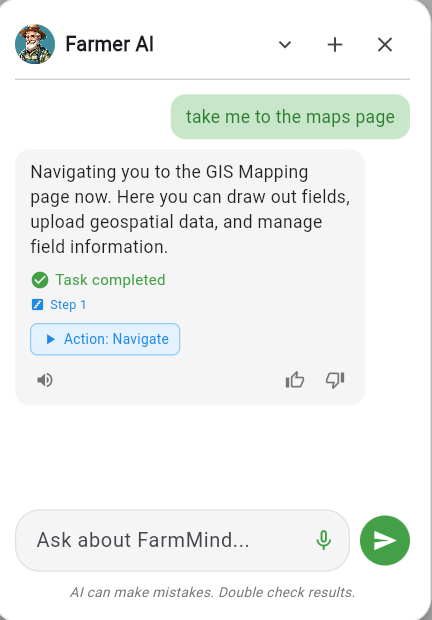
Farmer AI can navigate to where you need to go. Just ask it to take you wherever you need. Say things like "Go to my dashboards" or "Take me to my field notes".
Search
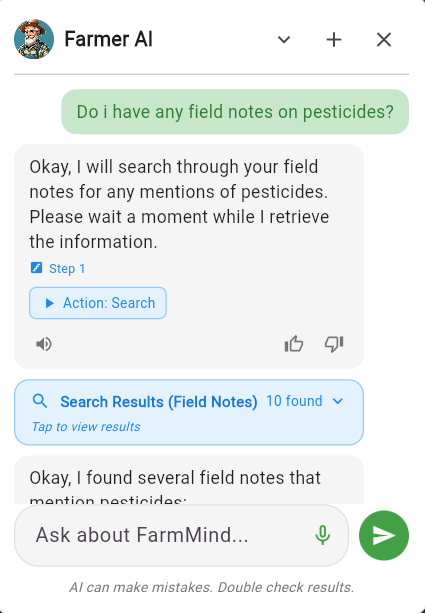
Farmer AI can search through your field notes, maps, and dashboards to find information. Ask questions like:
- "Do I have any notes on Dicamba?"
- "What expenses do I have for my pivot fields?"
- "Show me all recommendations from last month"
Farmer AI will search through the respective resources and return your information. You can verify the search results before taking action.
Updating Field Tags
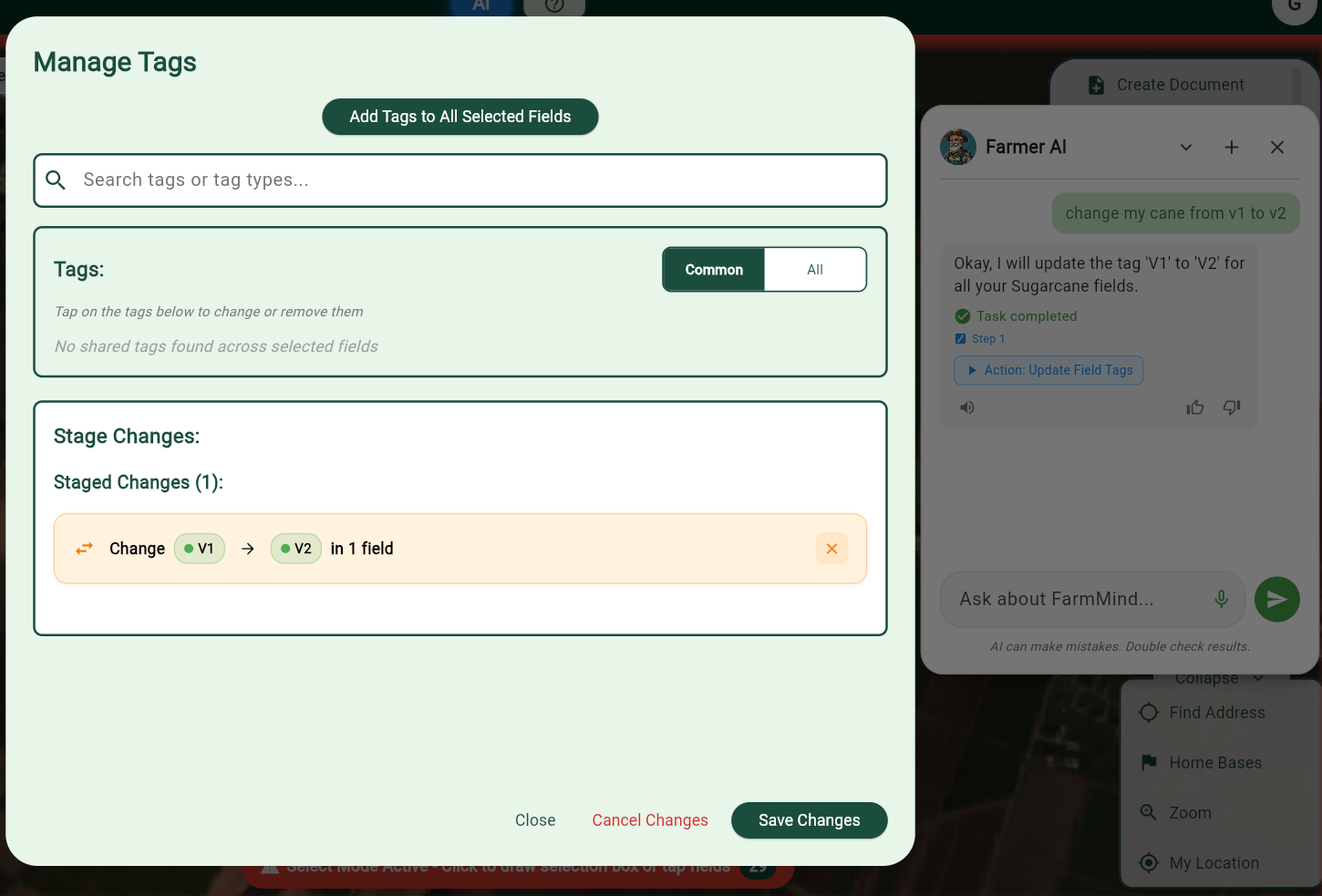
Farmer AI can update your field tags to new values. For example:
- "Change Joe's soybean fields from V1 to V2"
- "Update all corn fields to V4"
- "Mark the south 40 as harvested"
Before making any changes, Farmer AI will ask for confirmation so you can verify. If you're nearby a field, just say "This field" and it will use your location to find the closest field.
Create Field Notes
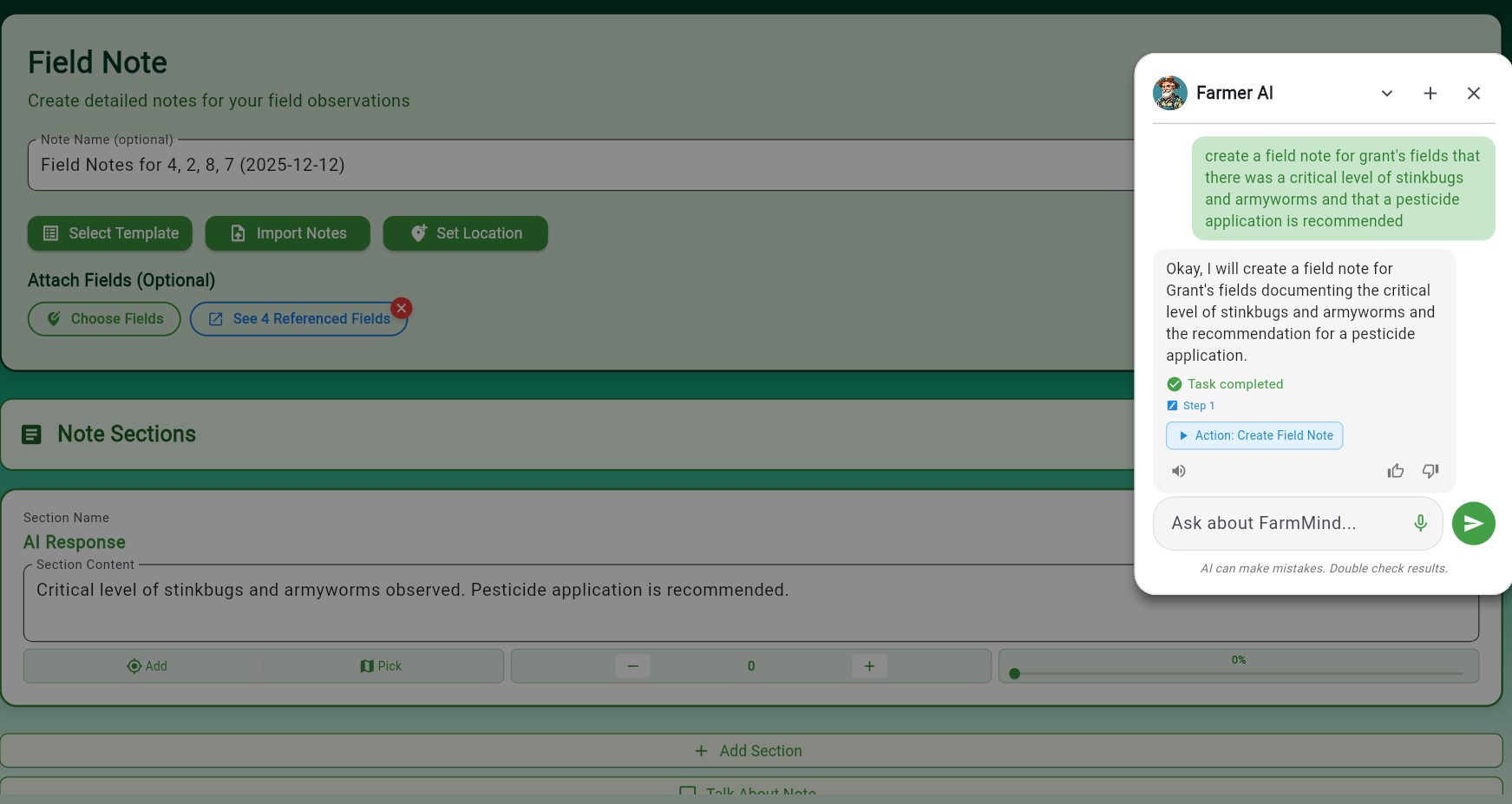
Create field notes just by asking. Examples:
- "Create a field note for Jane's fields that I saw a critical threshold of armyworms"
- "Add a note that the south field has irrigation issues"
- "Document that I saw weed pressure in the corn field"
Farmer AI will create the note with all the details you provide.
Adding Costs and Yield
Farmer AI can add costs and yield information to your fields by just asking:
- "Add a $250/acre labor cost for this field"
- "Record that I got 45 bu/acre yield for my 299 sugarcane"
Get Field Weather
Ask Farmer AI to get weather data for:
- Your current location: "What's the weather here?"
- Any of your fields: "Get the weather for my pivot fields"
Escalation to Decision Support AI
If you ask a complex agricultural question that's beyond Farmer AI's scope, it will redirect you to our Decision Support AI with your query intact. Examples include:
- Rainfast period for a specific pesticide
- Application rates for herbicides
- Pest management recommendations
- Variety selection guidance
Important Notes
Keep these in mind when using Farmer AI:
- Field Tags Only: Farmer AI can search and filter by field tags, not field names (yet)
- Always Improving: Farmer AI is constantly being enhanced with new capabilities
- Confirmation Required: Actions that modify data will ask for confirmation first
Feature Requests
Farmer AI is always improving, and we're always looking for new ways to make it useful in your day-to-day farming. If you have feature requests for Farmer AI, please contact us.