
FarmMind Tutorials
Field Weather Comparison
FarmMind currently allows you to compare weather history for up to 5 fields at a time. If you would like to increase this number, please contact us.
Selecting Multiple Fields
To select multiple fields, just click on multiple fields in the field selector. You can 'Favorite' different fields to automatically pull that data when you open the app.
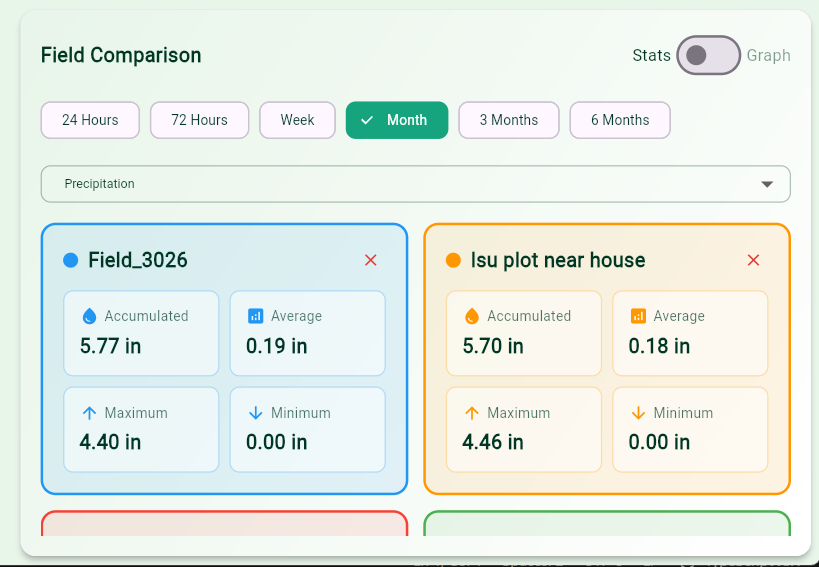
To change between different weather variables like precipitation, temperature, wind speed, or whatever, click the dropdown and select your weather variable.
Field Weather Comparison Graph
FarmMind allows you to view ALL weather events across whatever time period that you specify. You can access this by toggling the 'Stats|Graph' toggle at the top right of the field comparison widget.
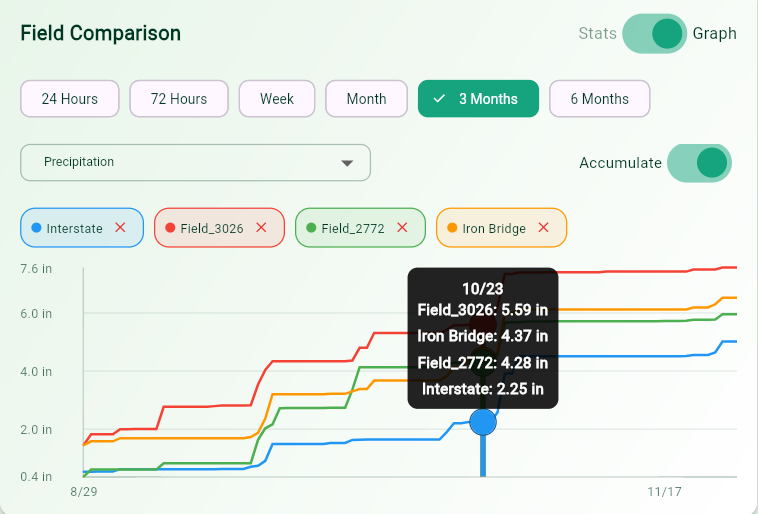
To see the accumulation of the selected variable, press the 'accumulate' button and the graph will accumulate that variable's value over the selected time range.