
FarmMind Tutorials
Searching Documents
FarmMind's intelligent search feature makes it easy to find the documents you need, even when you don't remember the exact details.
How to Search
You can search field notes by clicking the 'Folder Mode' toggle at the top left, and then searching for note content in the searchbar. Other document searching is currently not supported, but will be in the future.
Intelligent Search
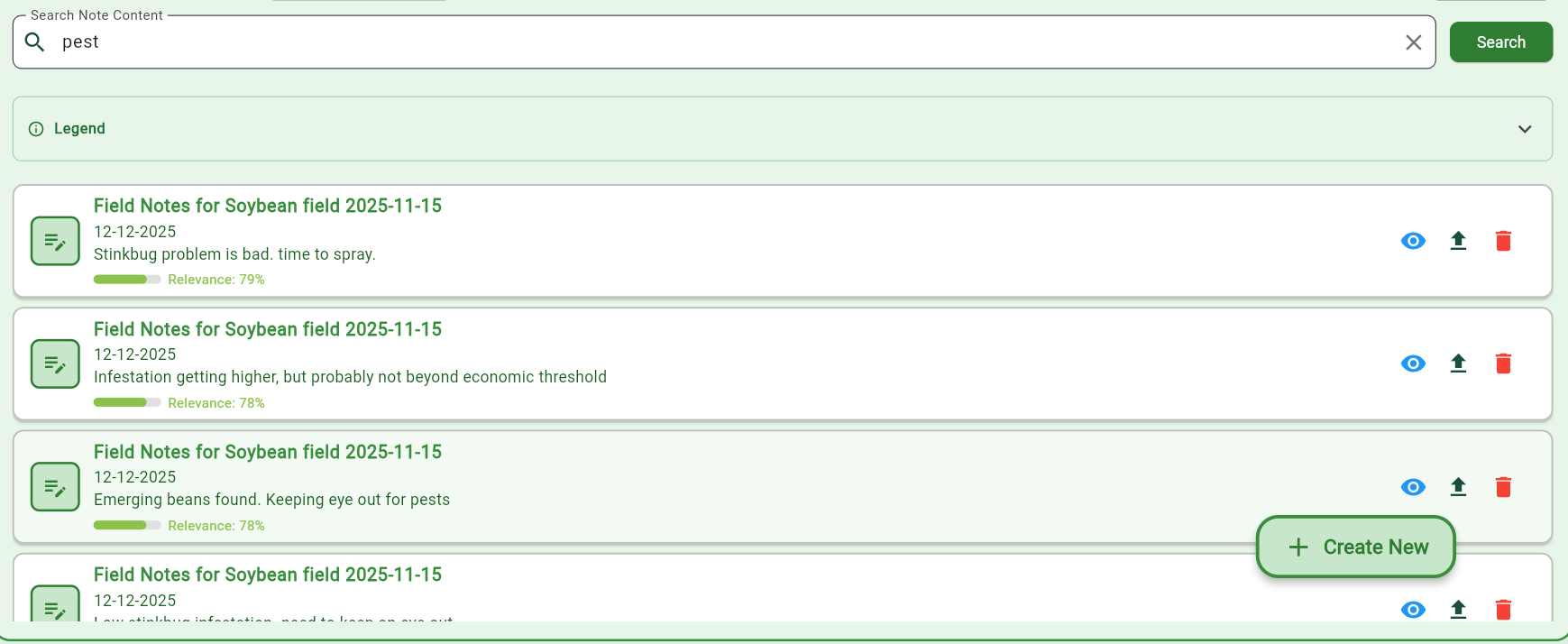
In the search bar, type in the query you would like to search. It DOES NOT have to match exactly—our search engine understands the meaning of each of the words in your field notes.
For instance, if you search for 'Pest', it will show documents related to pests, such as stinkbugs, weed infestations, or infestations in general. The AI understands the semantic meaning, not just keyword matching.
Filtering Results
You can further filter your search results by adding filters at the top. This allows you to narrow down results by date range, field, document type, or other criteria to find exactly what you're looking for.