
FarmMind Tutorials
Field Notes
Field notes are your way of taking notes through your field or for multiple fields at once. They can represent different pieces of information, whether that be pest sightings, crop stress, or anything else that you notice while out in the field. They can also be used as a general information storage document for a field.
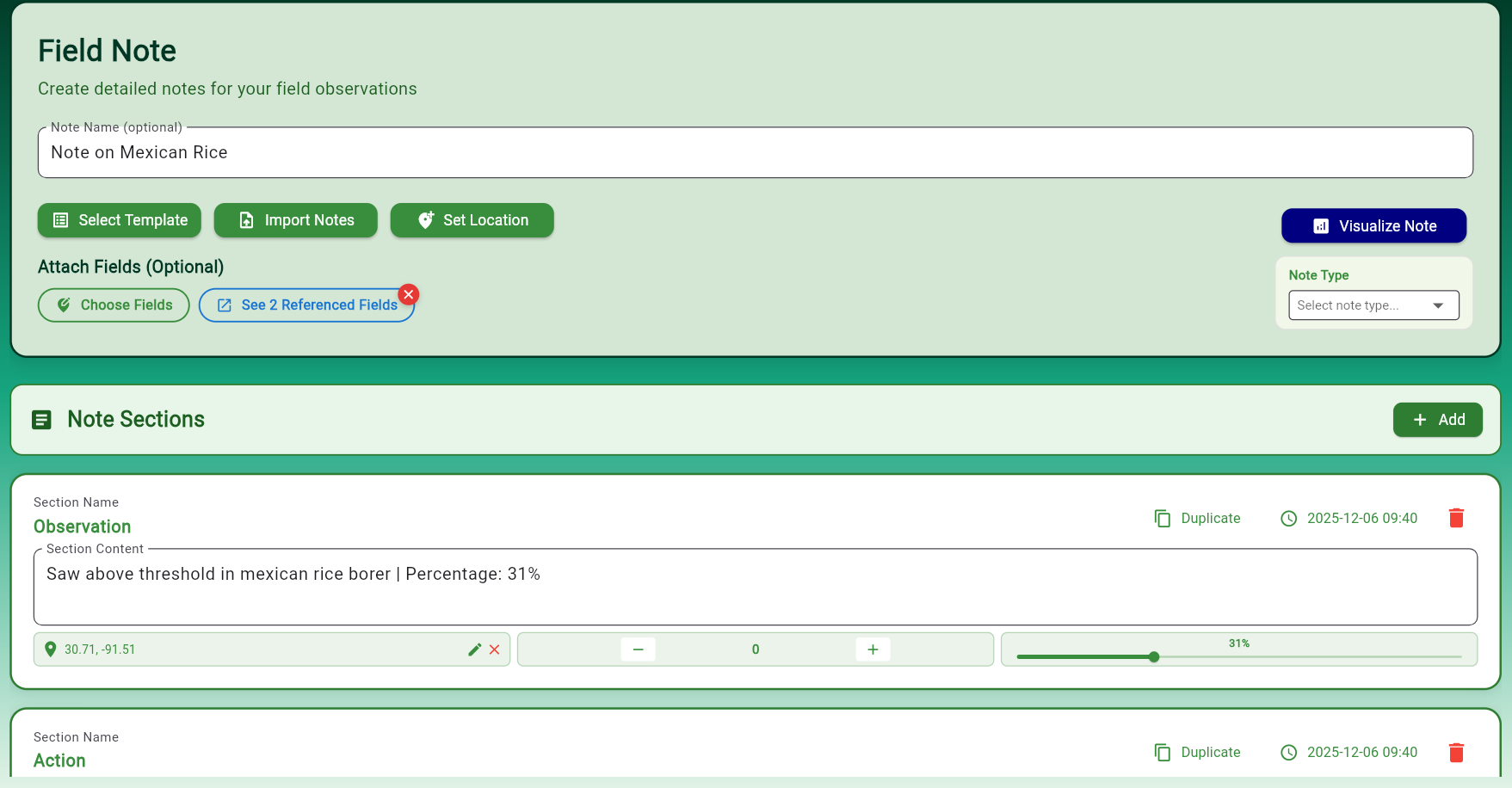
Anatomy of a Field Note
Field notes have different sections to them, each with optional content. Each section can include:
- Section Names: Give each observation a descriptive title
- Location Data: Automatically capture or manually set location information
- Time Taken: Track when each observation was made
- Counter/Percentage: Quantify observations (e.g., pest count, percentage of area affected)
You can fill out as much or as little as you'd like for each section.
Templates and Imports
If you take frequent notes that are pretty much the same from field to field, you can apply a 'Template' that can save you having to type it out each time. You can also choose to import notes, which will allow you to take a picture or upload PDFs, CSVs, Word documents, or text documents that will automatically convert that document into a field note.