
FarmMind Tutorials
Importing From Anything
FarmMind's Field Note Import allows you to import field notes from any type of document. This includes handwritten notes, screenshots, PDFs, Word documents, Excel sheets, or text files. Never lose a field note again!
How to Import
To import a field note, simply click the 'Import' button at the top or on the main documents page and select your field or take a picture. You can also save your upload to the cloud for later download, if you would like to preserve the underlying file for archiving purposes.
Example: Converting Handwritten Notes
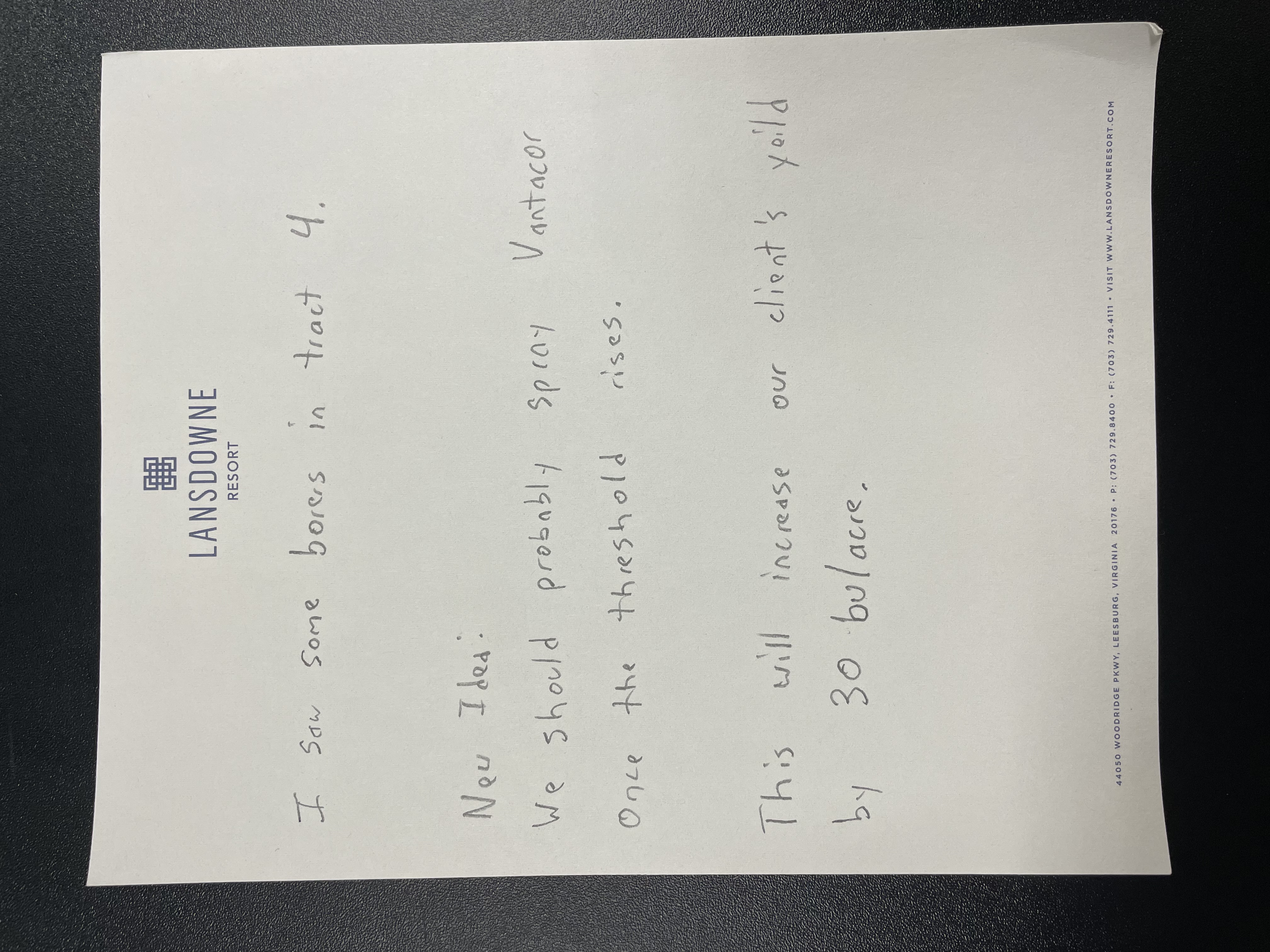
Here is an example of a handwritten field note:
Automatic Conversion
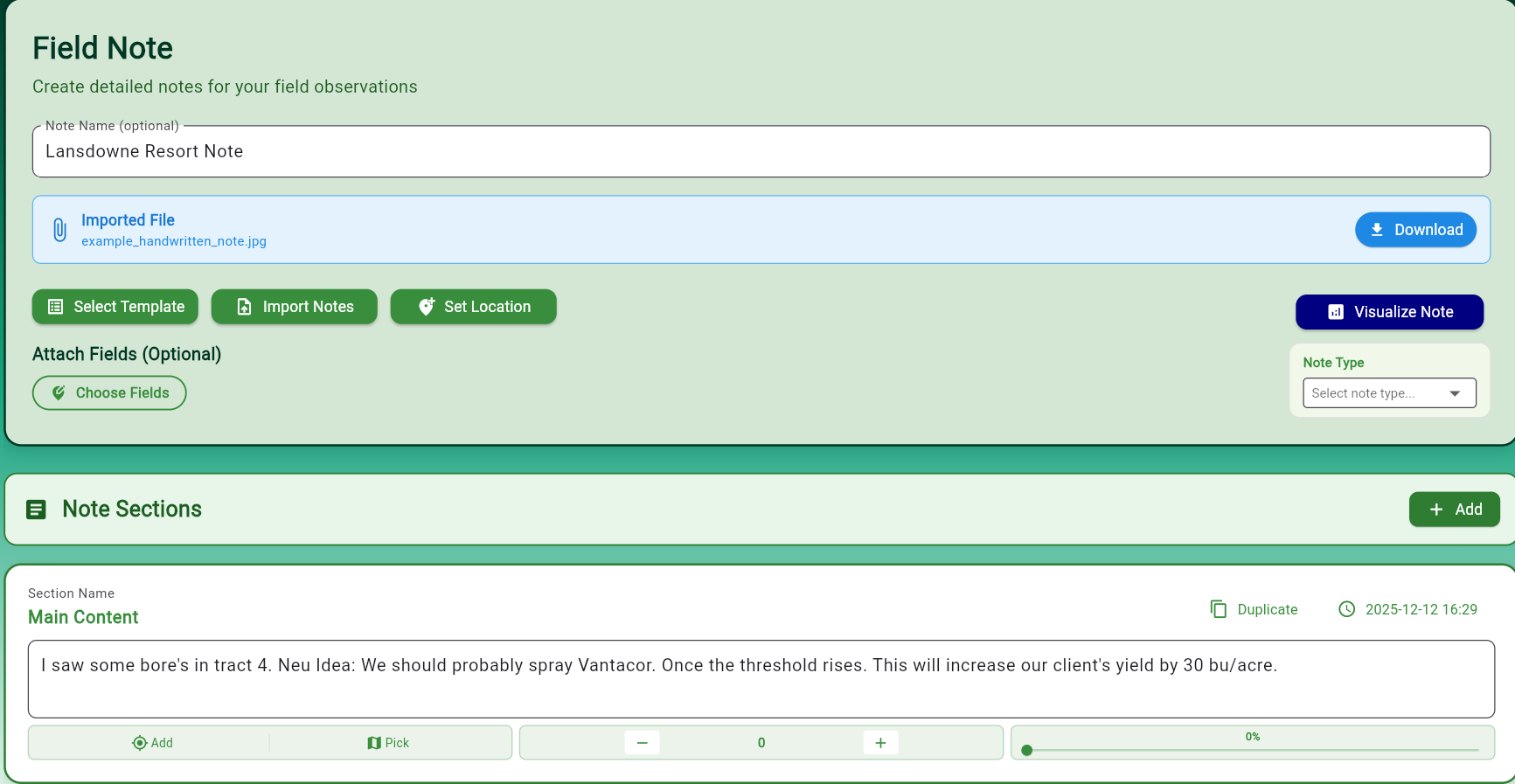
When you upload that handwritten note, here's what FarmMind's import engine produces:
Review and Save
As you can see, the import engine gets pretty close! The better your handwriting, the more accurate the conversion. It automatically fills out:
- Section names based on content
- Note name and description
- Note content and observations
Now, simply add the field references and click 'Save' and your file will be saved and properly categorized in your folder tree based on your field tags.
Supported Formats
Import from any of these document types:
- 📸 Handwritten notes and photos
- 📄 PDFs
- 📝 Word documents
- 📊 Excel sheets
- 📋 Text files
- 🖼️ Screenshots