
FarmMind Tutorials
Adding Field Costs
FarmMind has an extensive farm finance component that allows you to analyze your farm finances on a field-by-field level. The first step is to add field cost and yield data.
Click on a field and select 'Add Cost/Yield data'. If you want to add costs to multiple fields, you can select any number of fields using the 'Select Mode' tool at the top and press the 'Add Cost/Yield data' on the top left. A dialog will then pop up with a couple of different items.
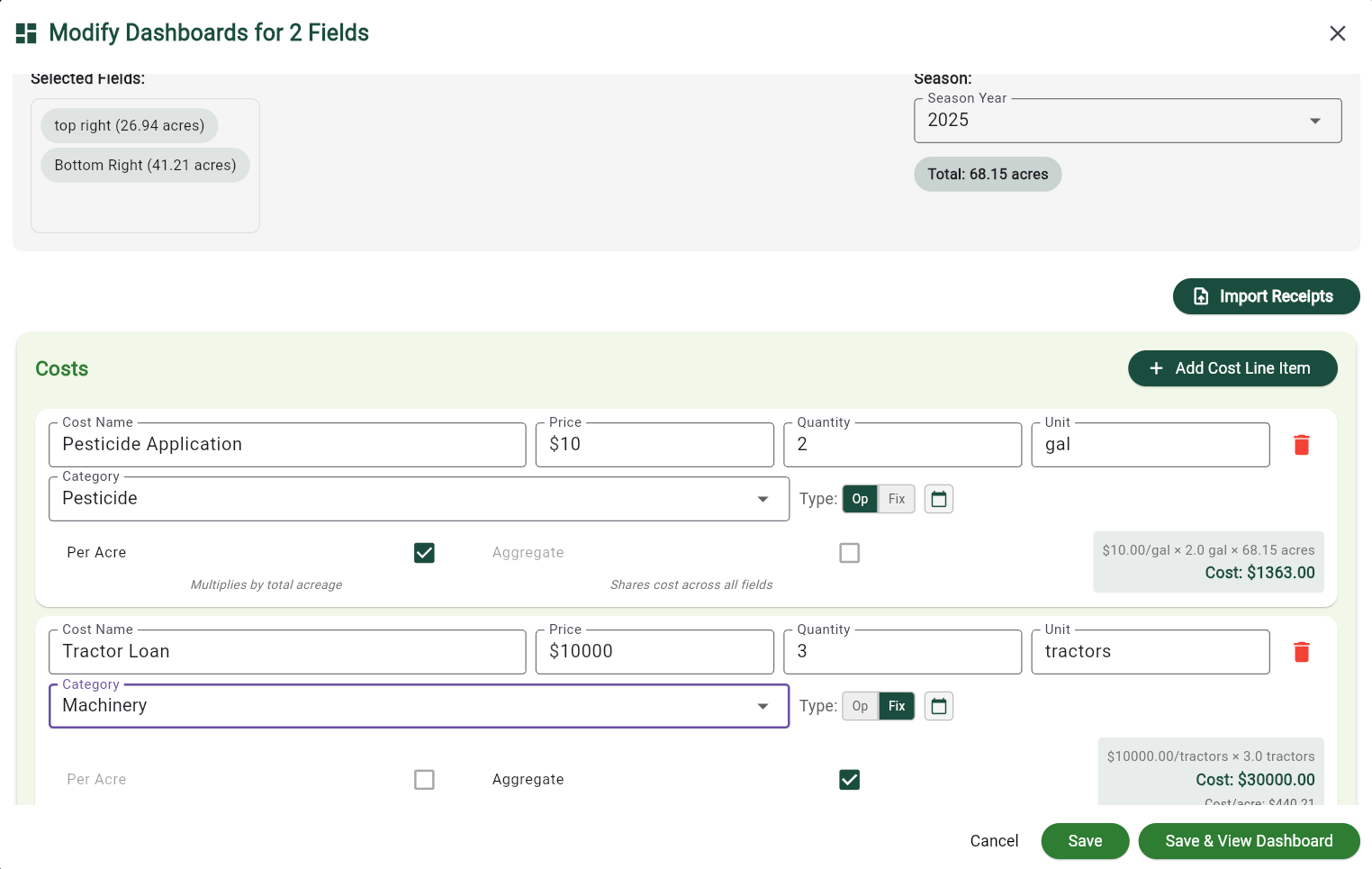
The easiest way to import cost data is to import receipts. Press the 'Import Receipts' button on the right to take a picture or upload an excel sheet, pdf, or other file to our system. Our AI system extracts the necessary information from the receipt and automatically records the costs. Make sure to look at the costs to see if they were extracted correctly.
Each cost has a cost name, price, quantity, unit, category, and type (operating or fixed), along with a date recorded. Each cost can be applied to a field per-acre (which multiplies the cost by the total acreage of all fields), or as an Aggregate cost applied to all fields at once. Aggregate costs are 'shared' costs that are applied to multiple fields, such as a tractor cost that's meant for 4 fields, or a lump purchase of Urea for a farm. If a cost is NOT an aggregate cost, it will be multiplied by the number of fields for quick and easy calculation. However most of the time, when applying a single cost to multiple fields, it should be marked as an aggregate cost (and is automatically inferred when importing receipts).
Inputting Yield
Once you have gone over your costs, you can scroll down, you can input your target and actual yield for these fields, as well as a price/unit that is used for revenue calculations. If you do not put in a price, a price will be inferred based on public NASS data. When you are finished, you can click Save or Save and View Dashboard to go to the season dashboard if you selected one field or a field comparison dashboard if you selected multiple fields.