
FarmMind Tutorials
Rate Lookup Tool
FarmMind's Pesticide Rate Lookup Tool is a state-of-the-art AI-powered tool that has knowledge of all 16,000 EPA-approved pesticide labels. It's available in both the recommendation creator and pesticide application document creator pages.
How to Use
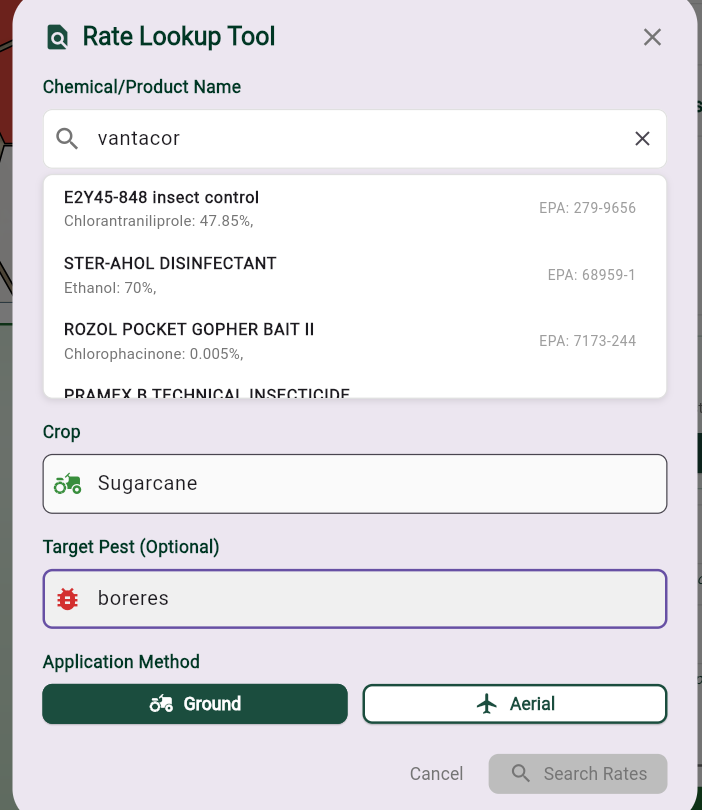
Simply click the 'Lookup Tool' to get started. Search for the product or chemical by:
- Active ingredient
- EPA registration number
- Common name
- Registered product name
(Don't worry about spelling—it works even with misspellings, though correct spelling helps!)
Refine Your Search
Optionally, provide additional criteria to narrow down results:
- Target Crop: Which crop is this for?
- Target Pest: What pest are you targeting?
- Application Method: Ground or aerial application?
Then, click 'Search Rates' to retrieve the information.
Getting Results
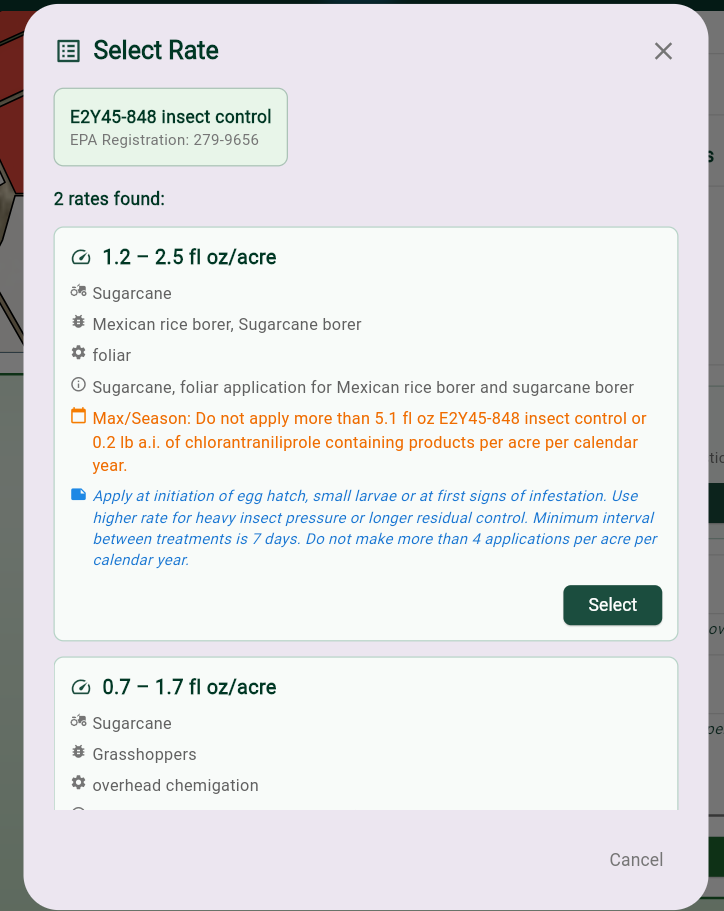
The tool will search for around 5 seconds and then return all rates that match your criteria. You'll see a list of matching rates with full details.
Using the Results
To use a recommended rate:
- Select the rate you want to use
- Click 'Use This Rate'
- If it's a range, put in the actual rate you want
- The tool automatically calculates total product needed based on field acreage
- Copy that information to your application report
Verify Your Sources
ALWAYS double check the source document citation. The tool cites every piece of information it finds, and the citation links you directly to the exact part in the EPA label document. This ensures you're recording rates that are properly documented and compliant with regulations.